Your brand and domain
Your pages, with your name on them.
From Pro, item pages carry your logo and color instead of ours, open on your own domain, and the QR code can hold your logo. Your labels keep working through every change.
Own branding
The same page, before and after.
Same item, same content. On the right, the garden's logo replaces its name, its color takes over the buttons, links and month strip, and the MarkerPin credit is gone.
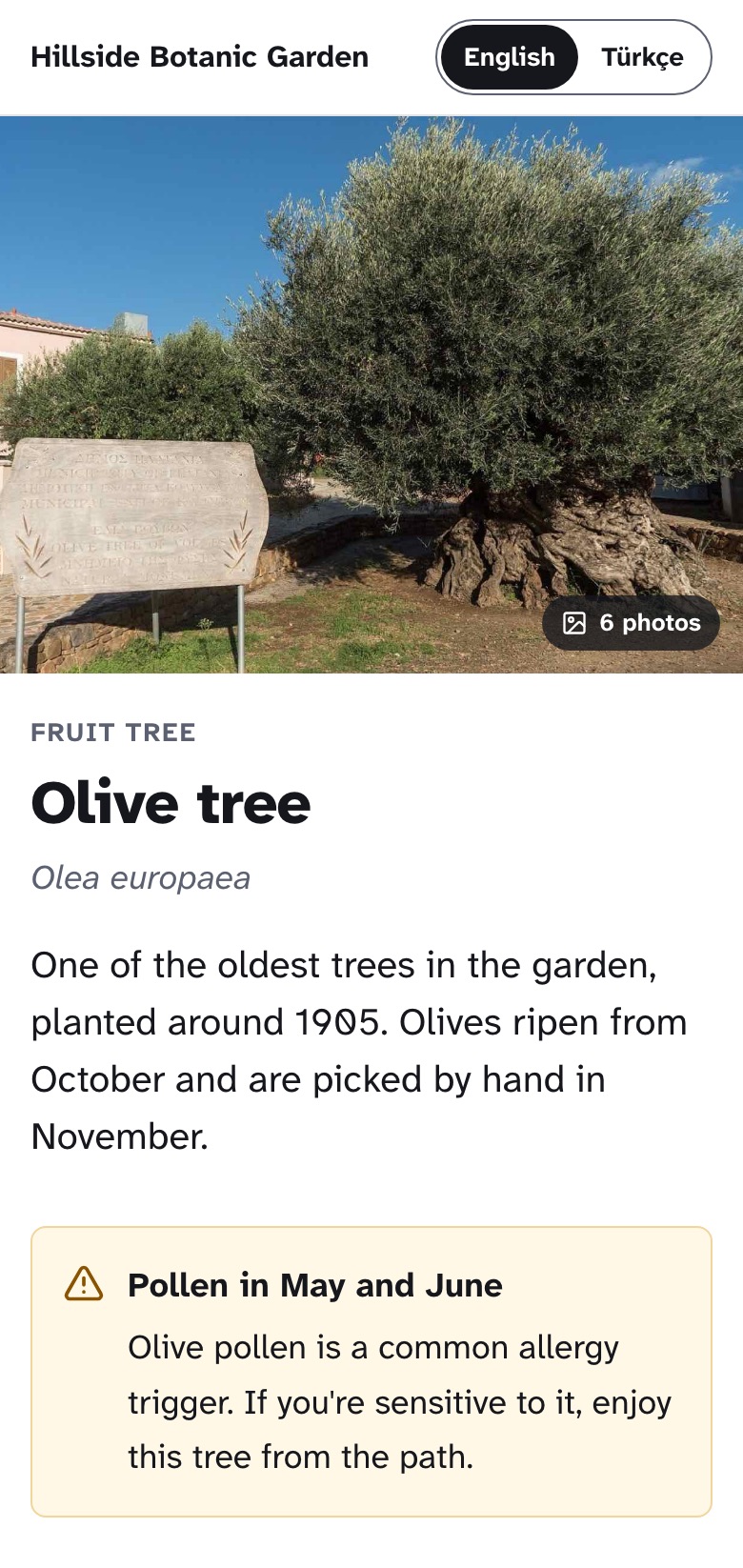
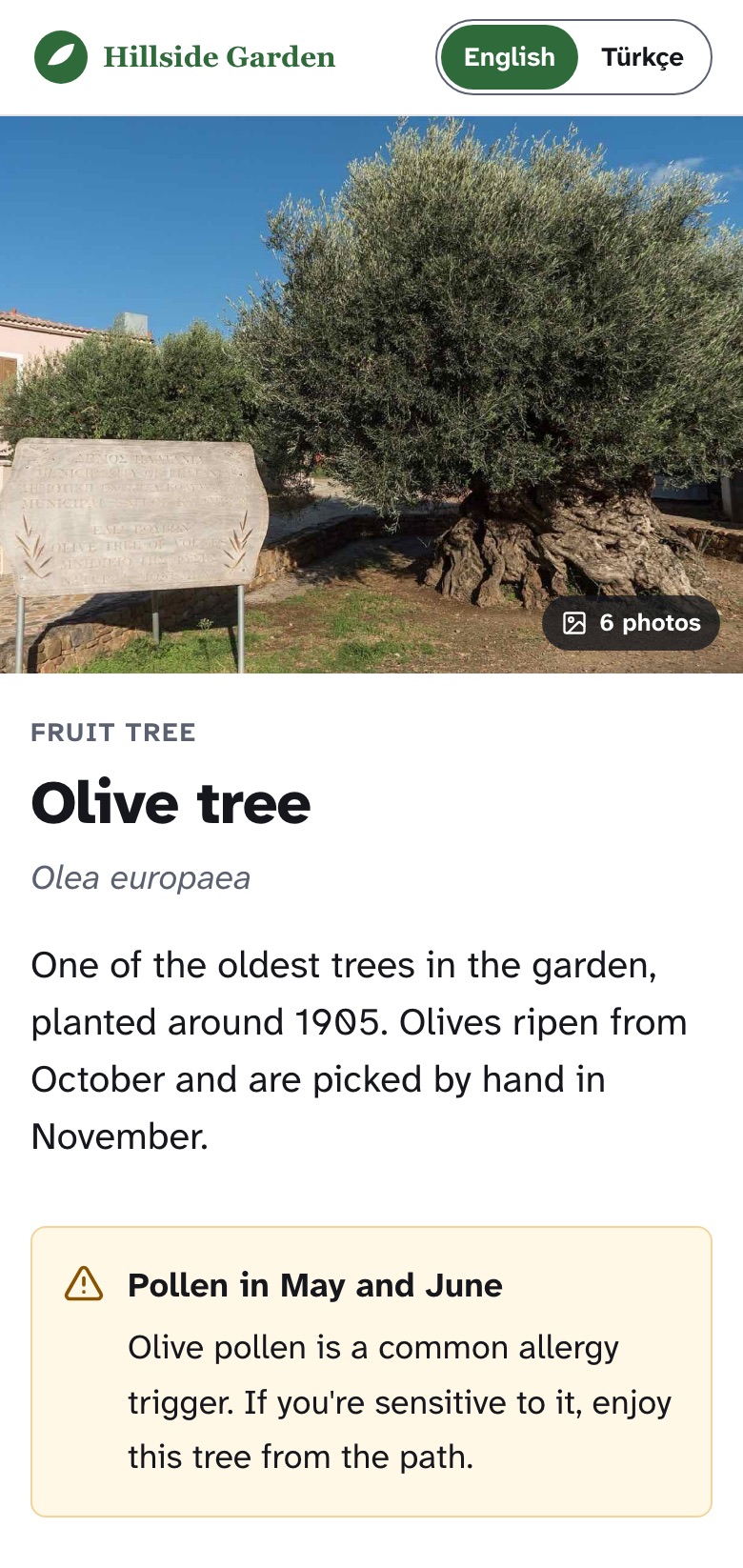
Example Hillside Botanic Garden is a fictional garden.
What changes, and what doesn't.
Your brand goes where visitors look for it. The parts that keep pages readable and safe stay the same for everyone, so a pale brand color can never make a page hard to read.
Yours
- Your logo at the top of every page
- Your color on buttons, links and highlights
- No “Made with MarkerPin” credit
- Your logo on Detailed labels and in the QR code
Ours, for readability
- The typeface and text sizes
- Backgrounds and warning colors
- Links fall back to dark text if your color is too light
- The “Report this page” link
Custom domain
Your pages on your own address.
Use a subdomain of your website, such as plants.hillside.org. The Portal tells you exactly what to add at your domain provider.
Enter the hostname
In the Portal's settings. A subdomain is easiest; a bare domain such as hillside.org works too.
Add the DNS records
One CNAME record for a subdomain, plus a TXT record that proves the domain is yours. Our guide covers the common providers.
We do the rest
Once the records are right, we issue the HTTPS certificate and start sending visitors to your domain. A hostname not verified within 14 days is released.
Where each page lives
- Profile
- markerpin.com/hillside/plants.hillside.org/
- Collection
- markerpin.com/hillside/4817/plants.hillside.org/collection/4817/
- Item
- markerpin.com/k7m2pqplants.hillside.org/k7m2pq
On Business, a collection can have a hostname of its own, such as trail.hillside.org for a heritage trail.
Labels always point to markerpin.com
The QR code holds the item's markerpin.com address. We count the scan there and send the visitor on to your domain. So you can print labels before your domain is ready, and if the domain lapses or a DNS record breaks, visitors simply land on markerpin.com instead of an error.
Plans
Which plans include it.
| Feature | Free | Plus | Pro | Business | Enterprise |
|---|---|---|---|---|---|
| Own branding and QR logo | Not included | Not included | Included | Included | Included |
| Custom domain | Not included | Not included | Included | Included | Included |
| Hostname per collection | Not included | Not included | Not included | Included | Included |
You can set up your logo, color and domain on any plan; they appear once your plan includes them. Move to a plan without them and pages return to markerpin.com with MarkerPin branding. Nothing is lost, and moving back up restores it. Compare all plans