
Item pages
What visitors see when they scan.
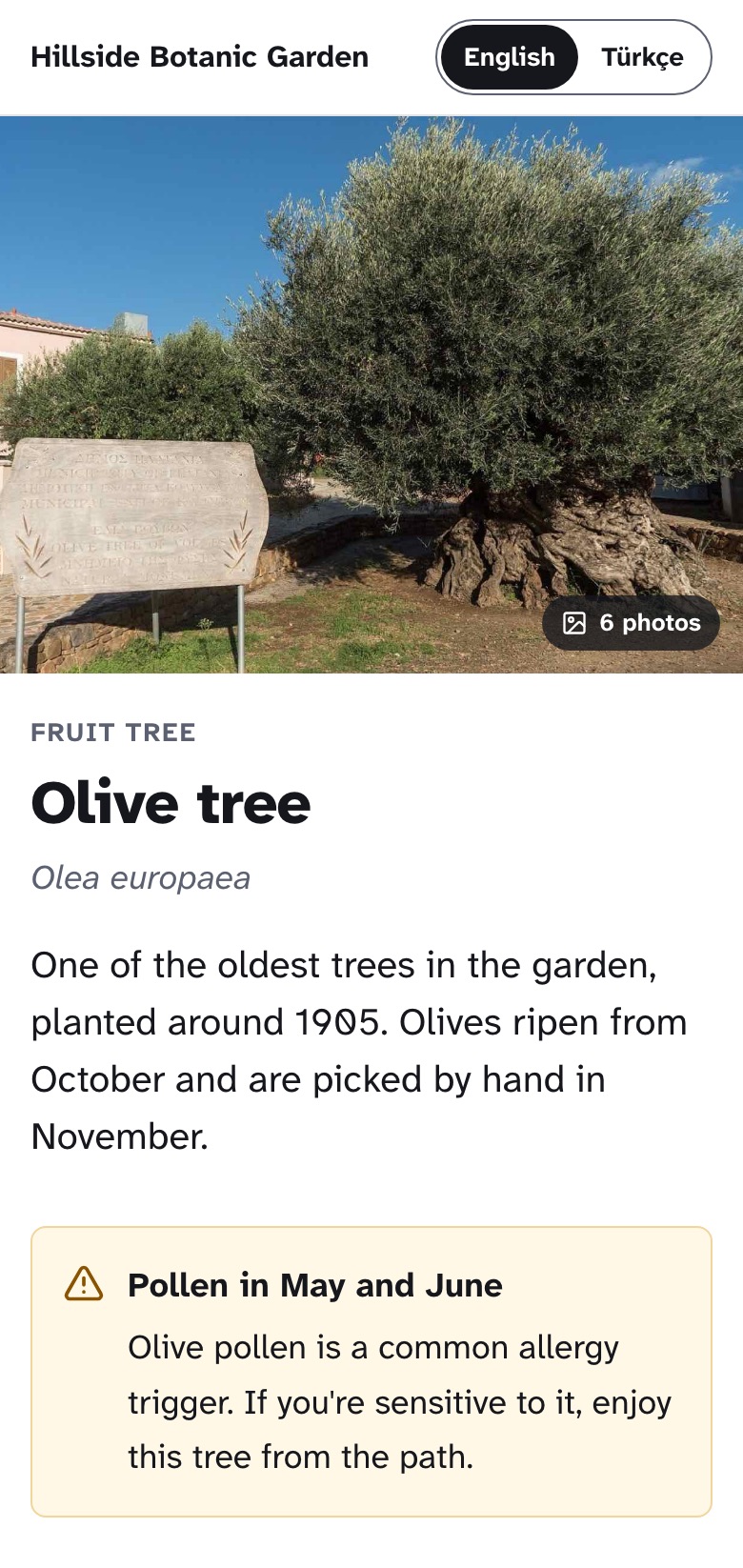
A label opens a page about the item, in the visitor's language. No app to install, nothing to sign in to. The page is built to be read standing up, outdoors, on a weak connection.
The example is a fictional garden, Hillside Botanic Garden.
The basics
No app, no sign-in
The phone's camera reads the code and the page opens in the browser. Nothing to install, no account, no personal data asked for.
In the visitor's language
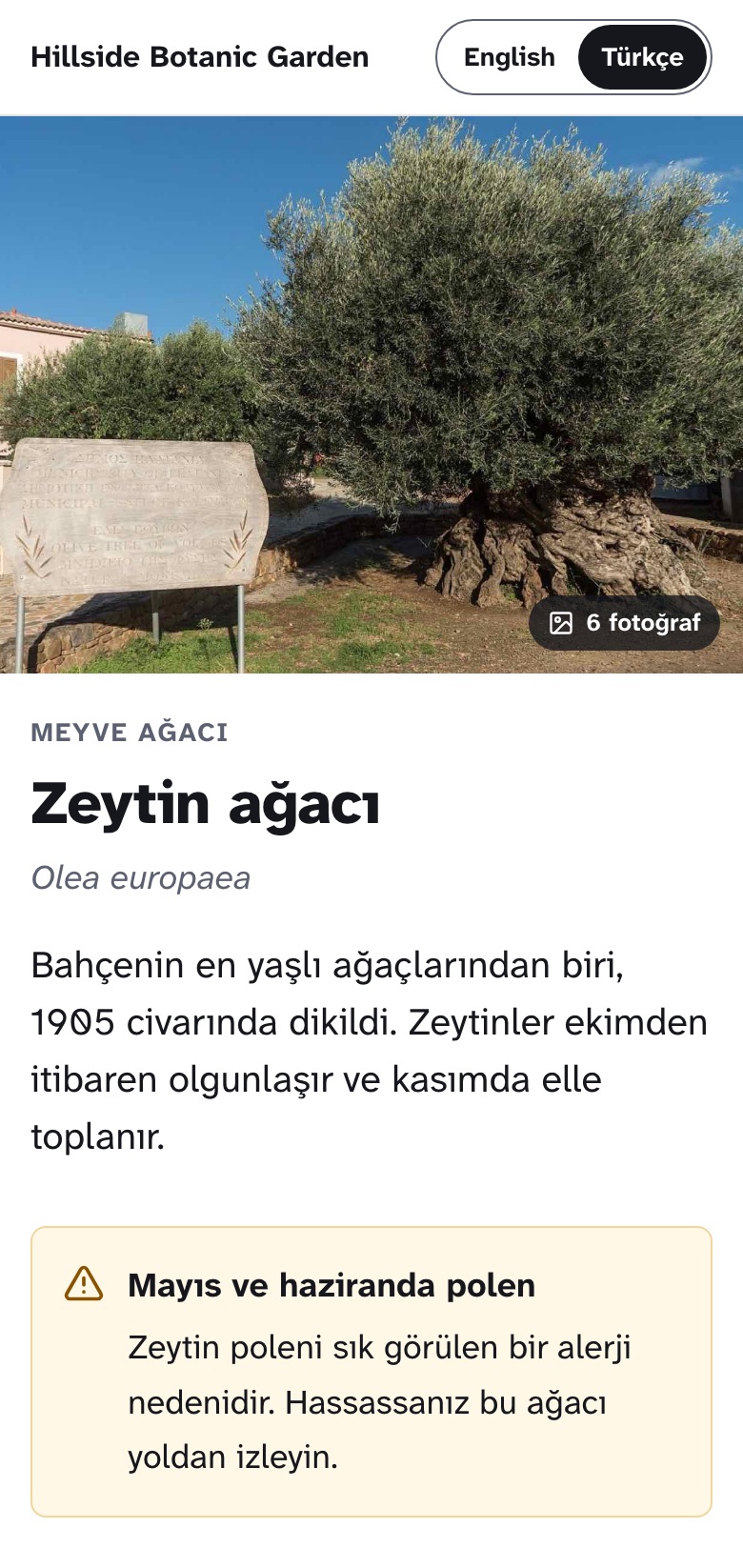
From Pro, write each page in two languages. The page opens in the one the visitor's phone prefers, with a switch to the other.
Readable outdoors
Large text, strong contrast and a page that is readable within two seconds on a mid-range phone with a weak signal.
Two languages
One label, read in English or Turkish.
The same label opens the page in the visitor's language when it is one of yours, and in your primary language otherwise. Buttons, notices and field names follow along, so a Turkish visitor never meets an English “Native range”.
- Second content language from Pro
- Scientific names, makers and model numbers stay as written
- The visitor can switch at the top of the page
Fields by type
Every fact shown the way it reads best.
The category decides which fields an item has. Each field has a type, and the page shows each type in its own way. You fill in a form; you never format anything.
Numbers with a unit
Heights, weights and widths, always with their unit.
- Mature height
- 8 m
- Maximum user weight
- 150 kg
Ranges
A lowest and highest value, such as a water temperature.
- Water temperature
- 22–26 °C
Choices
One value from a list, translated for you.
- Light
- Full sun
- Care level
- Moderate
Several choices
Shown as chips, such as the muscles a machine works.
- Muscles worked
- Back
- Biceps
- Shoulders
Yes or no
A clear answer, with room for a short note.
- Edible
- Yes, after curing
Months
Flowering, fruiting or harvest time, as a strip of the year.
- Flowering time
May and June
Approximate dates
Written the way historians write them.
- Date
- c. 1550
- Date
- 2nd century AD
Steps
One line per step becomes a numbered list.
- How to use
- Set the thigh pad.
- Take a wide grip.
- Pull to your upper chest.
Safety first
Safety notes and toxicity sit at the top, before the facts.
Milky sap
The sap can irritate skin.
Extended fields, captions and external links such as a how-to video are on Pro and above. Business adds your own fields. Compare plans
Accessibility
Made for everyone who stops to read.
Item pages meet WCAG 2.2 AA. That matters outdoors, in a gallery with low light, and for every visitor who reads with a screen reader or large text.
- 18 px body text, set in Atkinson Hyperlegible, a typeface designed for readers with low vision
- Contrast checked on every page, including with your own brand color: if your color is too light for text, links stay dark
- Works with screen readers, keyboard and zoom; month strips are also read out as words
- Every photo can carry a text description, written by your editors
- Buttons and links at least 44 px tall, easy to tap on a moving phone
On every page
What else a visitor finds.
- Photos, a story, and files to download, such as a care sheet
- Other items in the same collection, and a link to the collection page
- A “Report this page” link for visitors who spot a problem
- Archived items show a short notice instead of an error, so an old label never leads nowhere
- Your name or, from Pro, your logo and color at the top
- A small “Made with MarkerPin” credit on plans without own branding
- On the free plan, ads may appear after the content; Plus and above are ad-free
- Collection pages at markerpin.com/hillside/4817/, and your profile at markerpin.com/hillside/