
How it works
From sign-up to the first scan.
Everything happens in the Portal, in your browser, on a computer or a phone. Here is the whole path, with the screens you'll use.
Free for up to 25 items. No card needed.
The six steps
-
Sign up
An email address and a password are enough. You pick a username, which becomes the address of your profile: markerpin.com/hillside/. You start on the free plan.
- No card needed
- Bill as an individual or as an organization later, when you upgrade
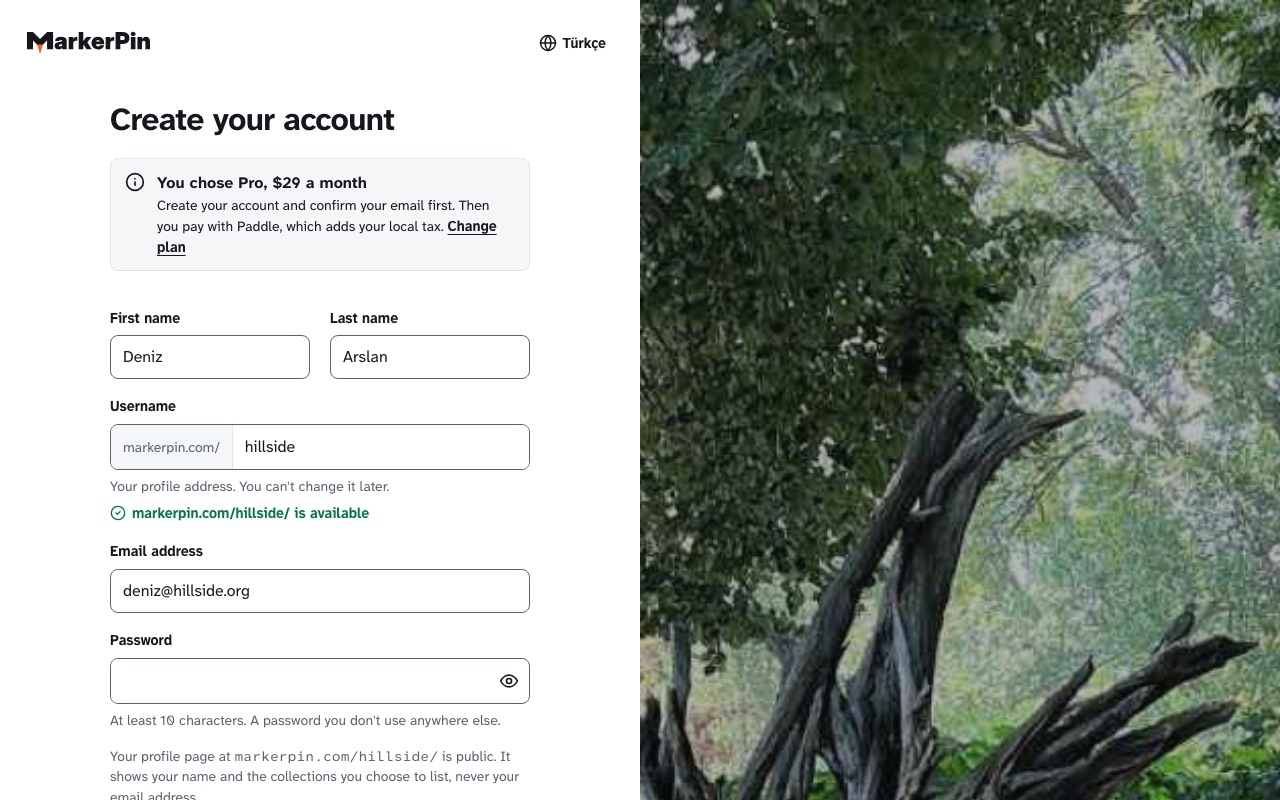
The sign-up screen. -
Add items, and let the category pick the fields
Give each item a name and a category. A tree asks for its native range and flowering months, a machine for the muscles it works, an artwork for its maker and materials. Add photos, a story and files.
- Every item gets its permanent address, like markerpin.com/k7m2pq
- Second content language from Pro
- Import many items at once from a spreadsheet
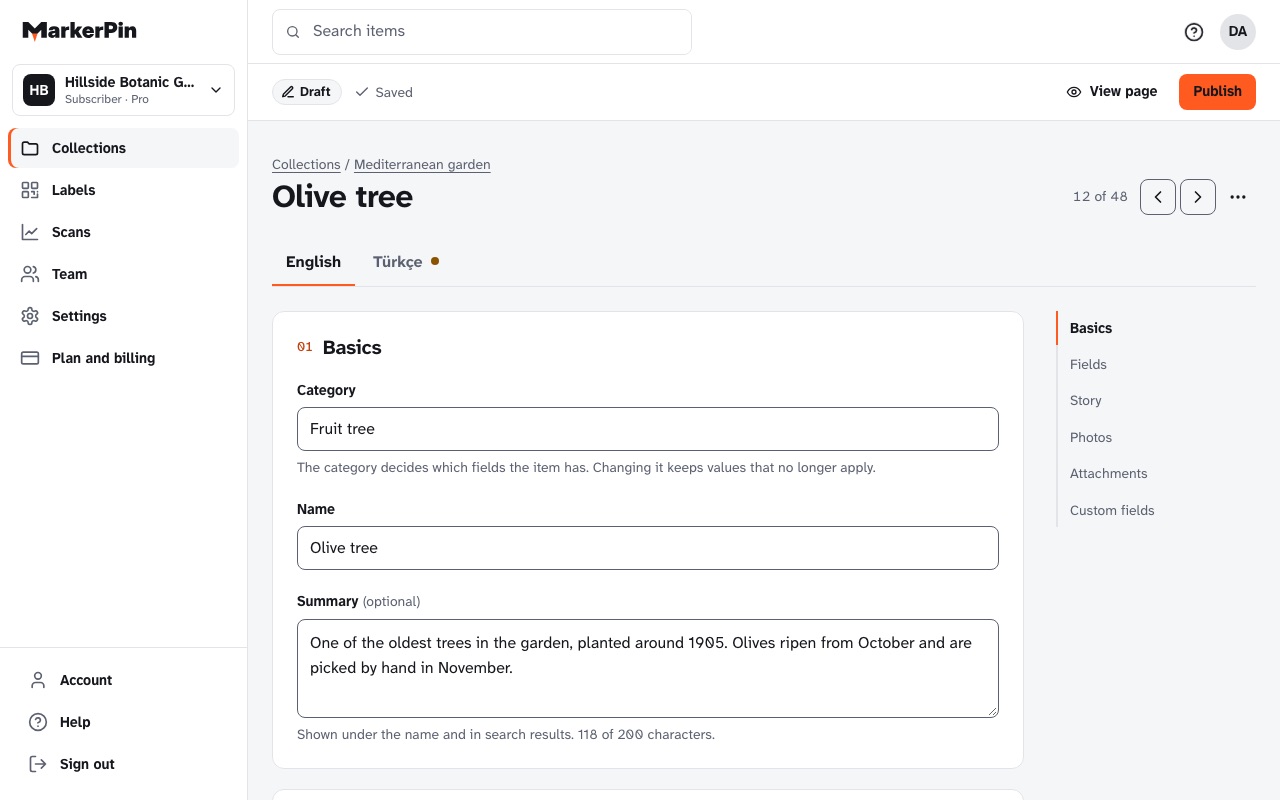
Editing an item: category, fields, photos and story. -
Group items in collections
A collection holds related items: the trees of a park, the machines on one floor, the objects of one exhibition. Each collection has its own page that lists its items.
- Collection address: markerpin.com/hillside/4817/
- Make a collection unlisted from Plus
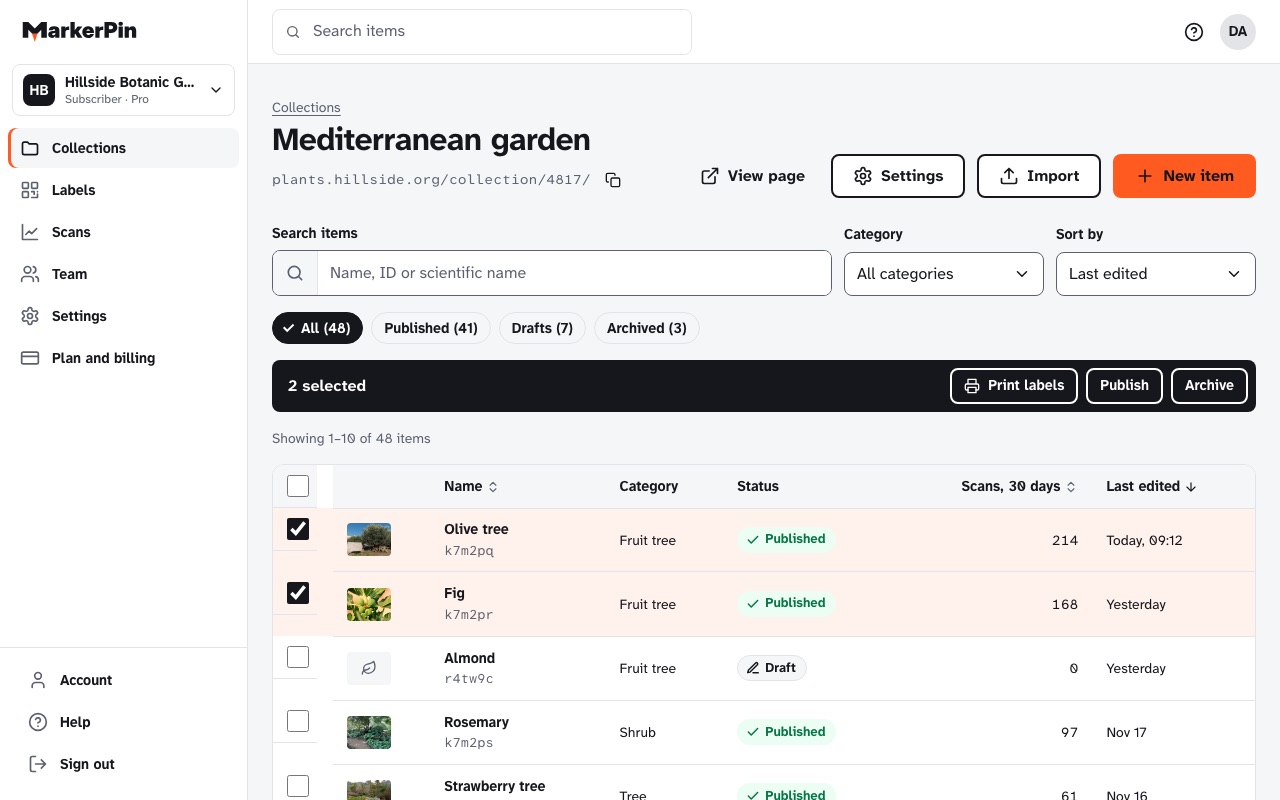
A collection and its items in the Portal. -
Invite editors
Invite the gardener, the trainer or the curator by email. Editors work on the collections you give them, and never see billing.
- 1 editor on Plus, more on larger plans
- Remove access at any time; their edits stay
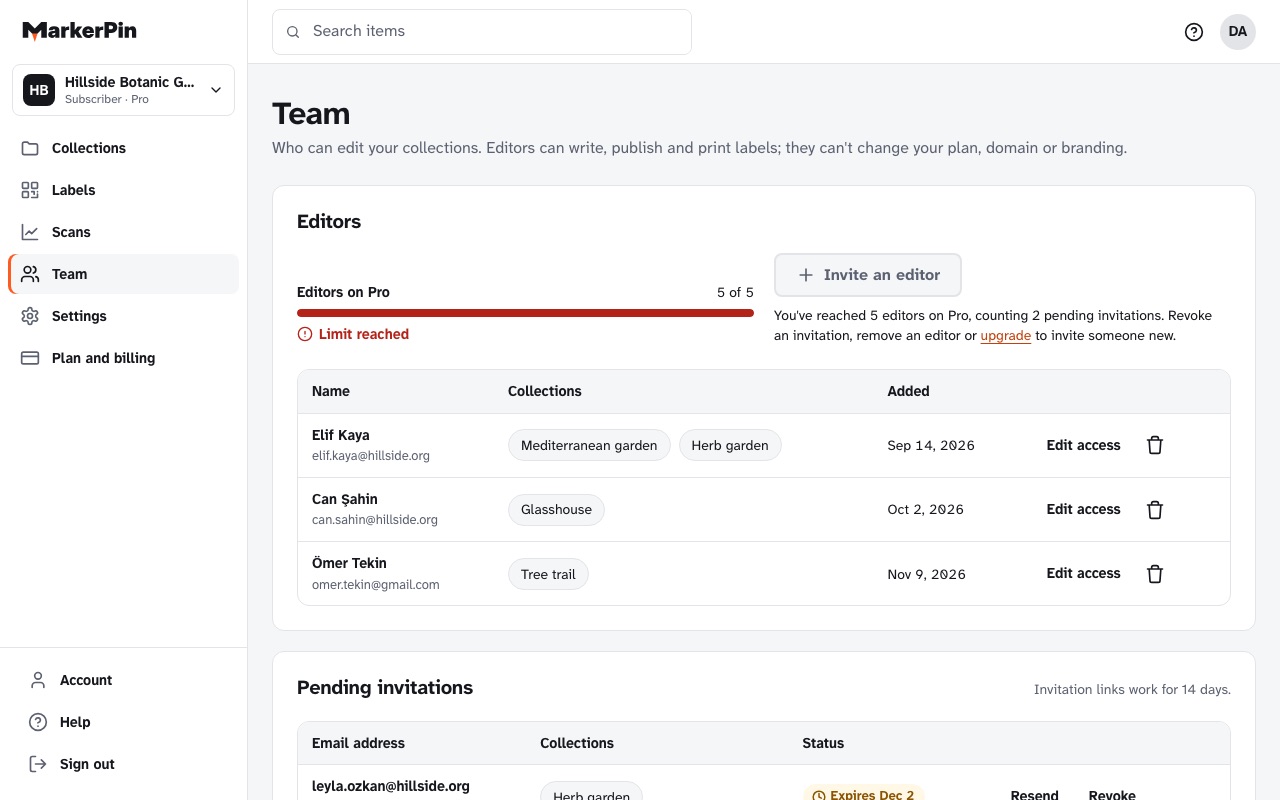
The team screen, with editors and their collections. -
Print labels, or order durable ones
Choose items and a label type, and download a PDF for your label printer or A4 sticker sheets. For outdoors or heavy use, ask us for engraved metal or acrylic.
- QR labels on every plan
- The address on a label never changes, so a label is printed once
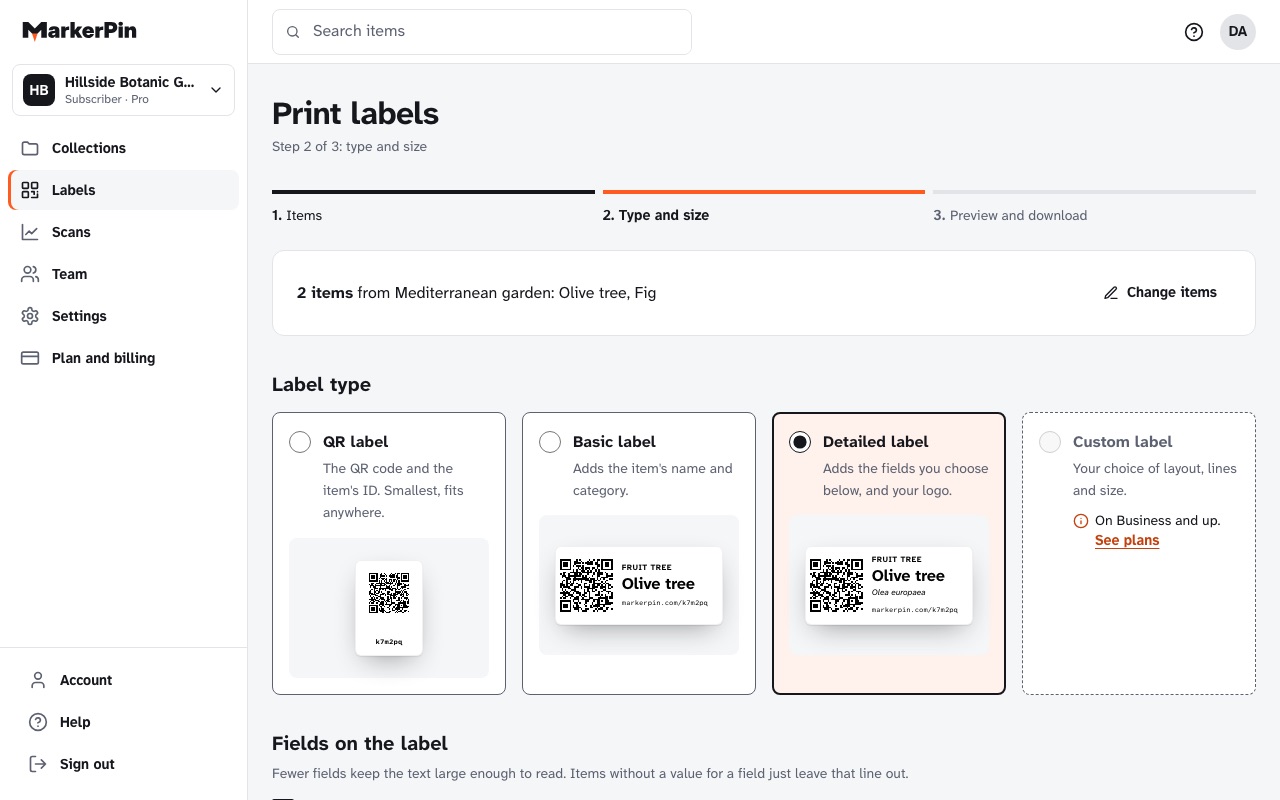
Choosing items and a label type to print. -
Visitors scan. You see what they look at.
A visitor points their phone camera at the label and the item's page opens, with no app and no sign-in. Each scan is counted, without cookies, so you see which items people stop for.
- Scan history for 30 days on the free plan, unlimited from Pro
- Fix a page any time; the label stays where it is
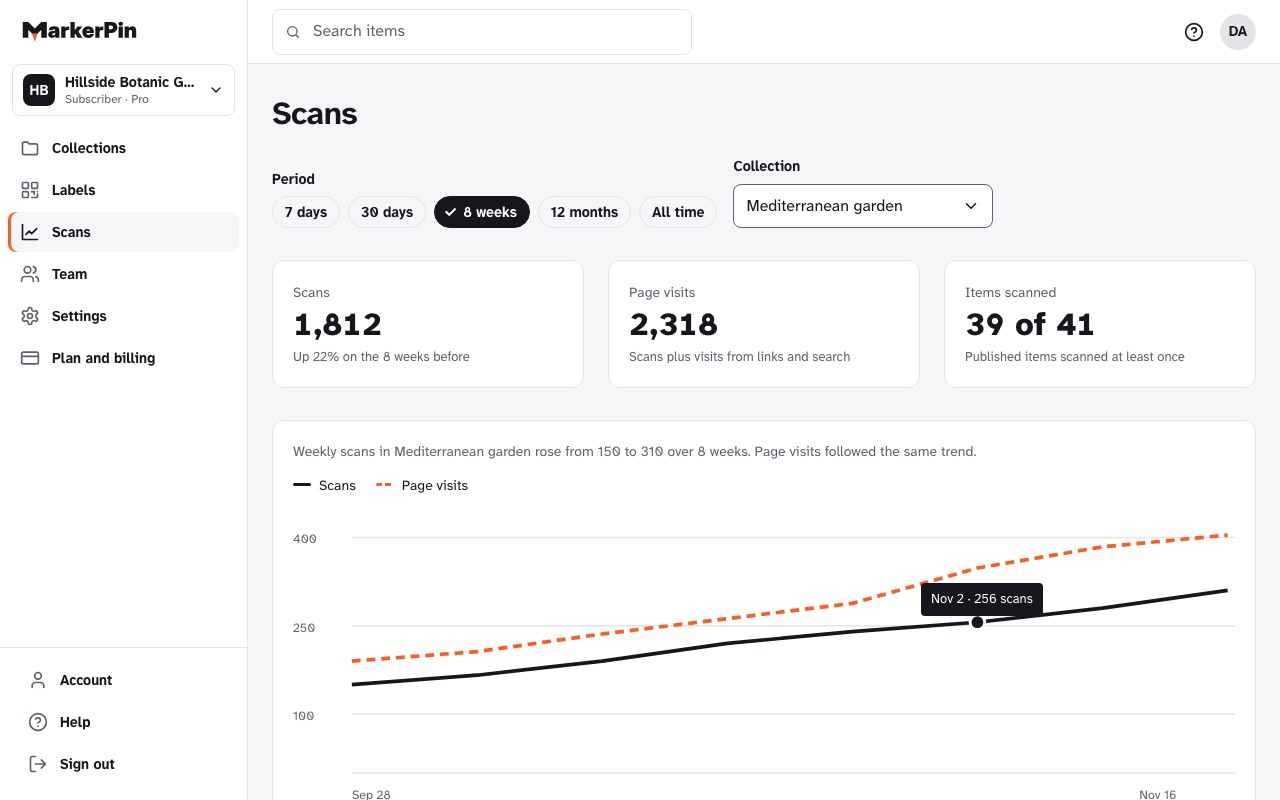
Scan counts per item and per collection.
What stays true
A few promises that don't depend on your plan.
Labels work forever
An item's address is never reused or retired. Archived items show a short notice instead of an error.
Nothing is deleted
Change plans or stop paying and your items, photos and labels stay. You can export everything at any time.
We set it up if you want
We can enter your items, print and mount the labels for you. See services